 yourWBS
WBS tool FAQ
Quick answers about making a WBS (Work Breakdown Structure) online.

What is the best free tool to make a WBS online?
yourWBS is a free web tool built only for creating a WBS. You build the hierarchy visually, the numbering is automatic, each element has a dictionary sheet, and you can export the result to PDF. It needs no sign-up and nothing to install. General diagramming tools such as Miro or draw.io can also draw a WBS, but you have to build the numbering and the hierarchy by hand.
How do you number a WBS automatically?
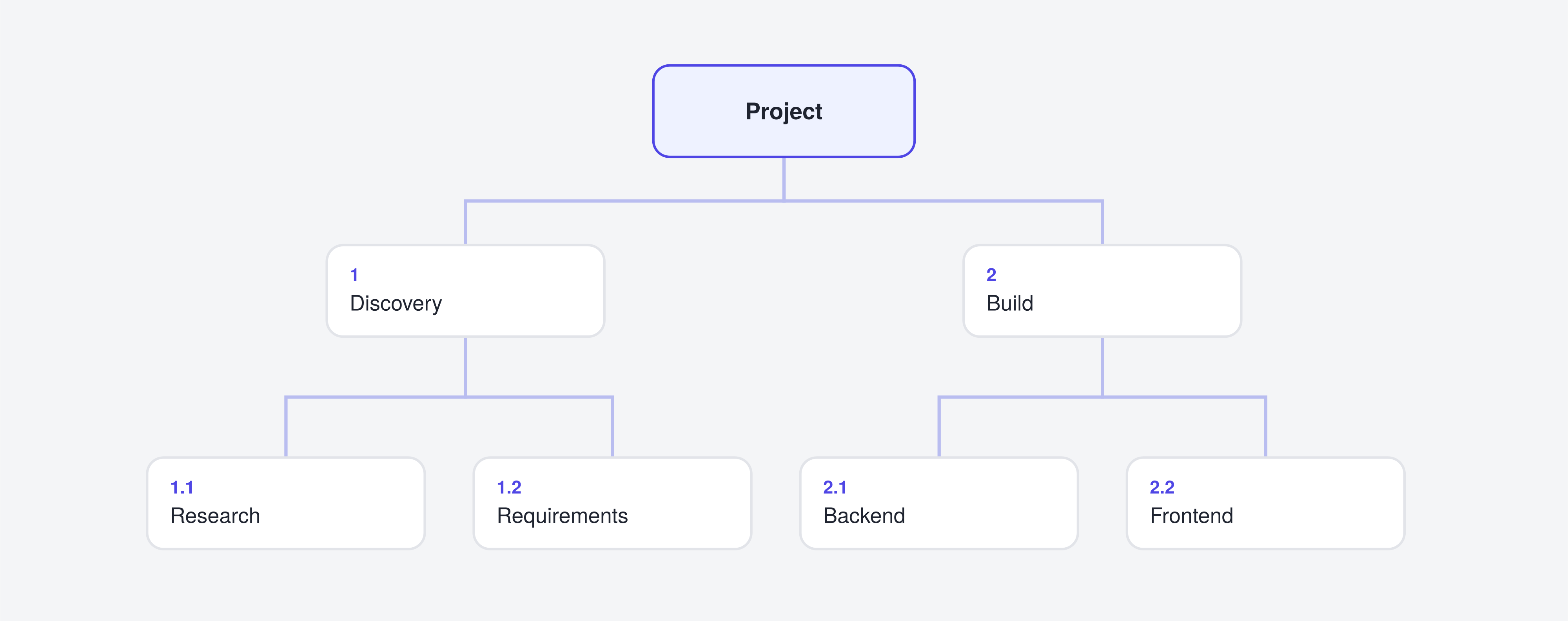
WBS codes follow the hierarchy: 1, 1.1, 1.1.1 and so on. In yourWBS each code is calculated from the element's position in the structure, so you never type it. You add, move or remove elements and the numbering is kept consistent.
What is the WBS dictionary and how do you write one?
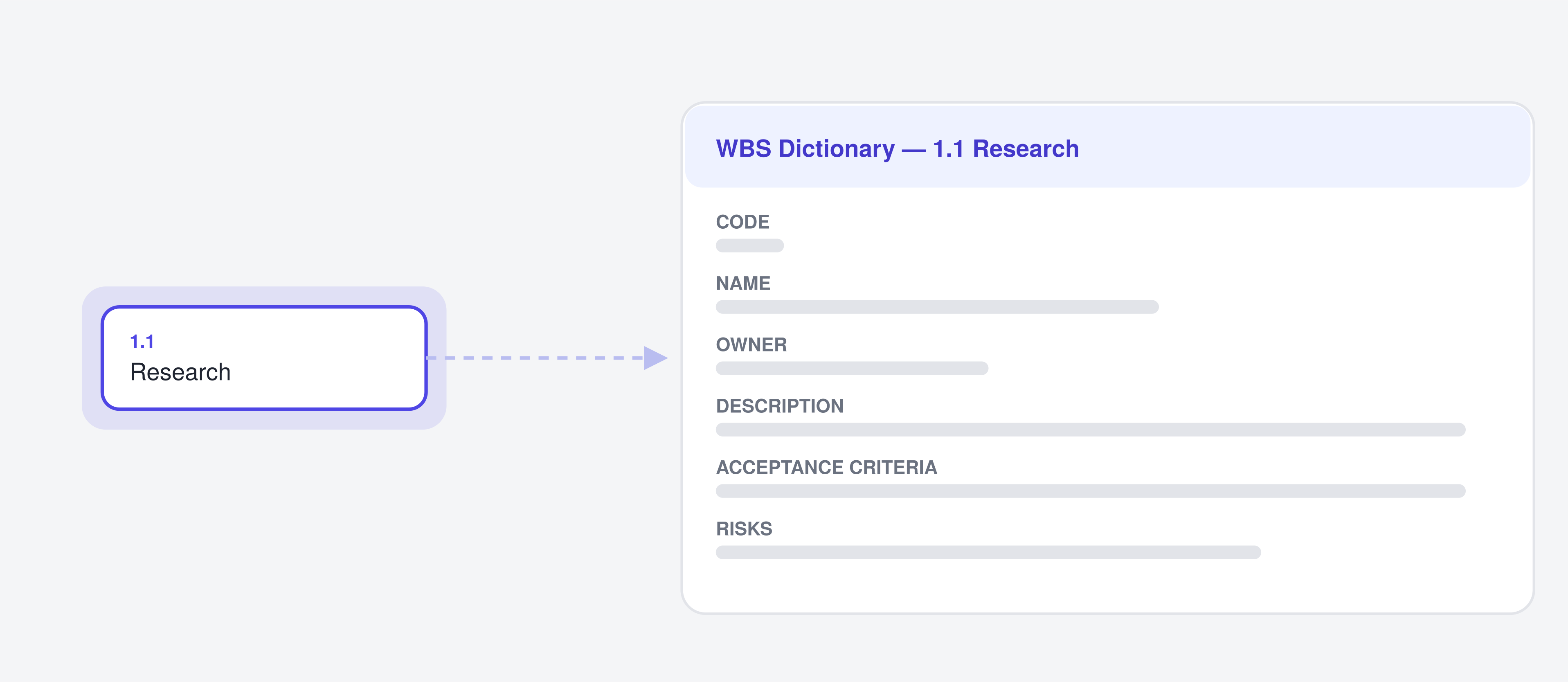
The WBS dictionary describes every element of the WBS: code, name, description, owner, acceptance criteria, quality requirements, risks and milestones. To write one, go element by element and describe what it includes and how you will know it is done. In yourWBS each element has its own dictionary sheet linked to the diagram, and you can export the sheets to PDF.
New to the concept? Read what a WBS is.
Is there a free alternative to MS Project just to build the WBS?
If you only need to build and document the WBS, yourWBS covers that part for free and is much simpler. It is not a replacement for MS Project: it has no Gantt chart yet, and no resources or costs. Think of it as the tool to define and document the deliverables before you schedule them.
Can I export a WBS to PDF for free?
Yes. yourWBS exports the diagram and the hierarchy to PDF, and also the dictionary sheets, either one by one or all together. It is free and does not require an account.
Do I need an account to use yourWBS?
No. You open the page and start building. Your work is saved in your browser, so it stays on your device.
Try it. Build your first WBS in a couple of minutes.
Open the app