 yourWBS
yourWBS vs MS Project for the WBS
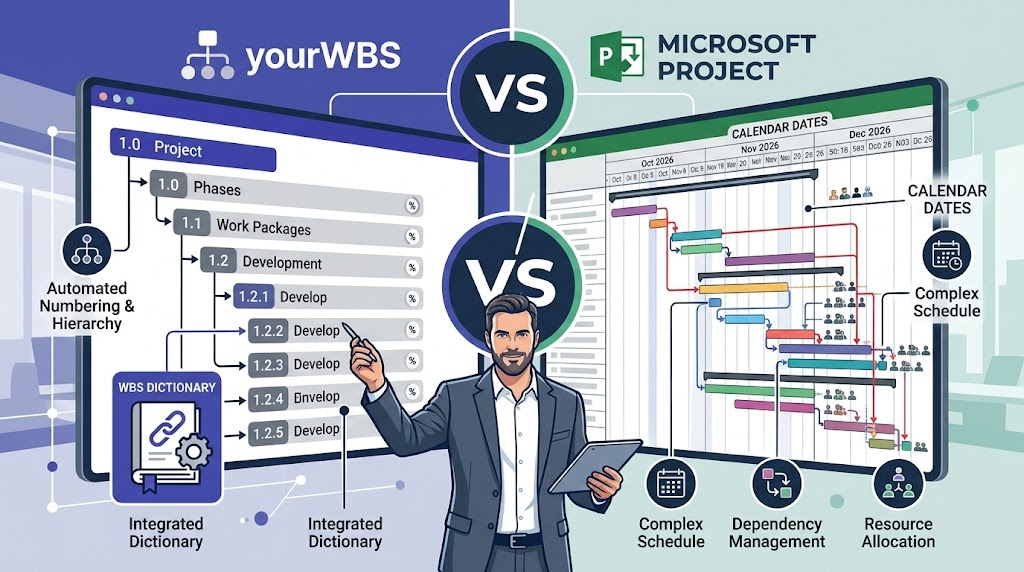
MS Project plans schedules, resources and costs. yourWBS only builds and documents the WBS. They solve different problems, and they work well together.
The short answer
If you need to schedule a project, with a Gantt chart, resources and costs, you need a scheduling suite such as MS Project. If you need to define and document what the project delivers, visually and quickly, yourWBS covers that part and is much lighter. It does not replace MS Project.
Side by side
| yourWBS | MS Project | |
|---|---|---|
| Purpose | Build and document the WBS | Full project scheduling |
| Visual WBS diagram | Core of the tool | Focused on task lists and charts such as Gantt |
| WBS dictionary | Linked sheet per element, exportable | Not its focus |
| Progress (% complete) | Per element | Per task |
| How progress is measured | % complete per element today; progress by effort coming soon | Typically by task duration and dates |
| Gantt, resources and costs | No (no Gantt yet) | Yes |
| Learning curve | Open it and start | Significant |
| Sign-up | Not required | Licence or subscription |
Where yourWBS is better
- You can see the WBS. The hierarchy is a diagram you can read at a glance and share, not only a nested list of tasks.
- Fast to start. No installation, no account, no setup. Useful for the first definition of scope.
- Documentation built in. The WBS dictionary lives next to each element and exports to PDF.
- The big groupers of your schedule. The top levels of a WBS become the main summary groups of a schedule, and yourWBS is a quick way to define them first.
Progress by effort, not by dates
In a scheduling tool, progress usually follows the duration of each task: how much of the planned time has passed and how much of it is done. A WBS has no dates, so yourWBS looks at progress differently. Each element is measured by how much of its work is complete, and the plan is to base that on effort rather than on calendar time. Effort-based progress is coming soon. Today yourWBS tracks the % complete of each element, and a parent element is calculated from its sub-elements.
Where MS Project is better
- Scheduling: dates, durations, dependencies and the critical path.
- Resource assignment and cost tracking.
- Baselines, reports and everything a full project plan needs.
Using both
A common way to work is to define and agree the WBS first, visually, and then take its structure into the scheduling tool of your choice. yourWBS does not have dates yet. Dates and roadmap management are planned for it.
Try it. Build your first WBS in a couple of minutes. Free, no sign-up.
Open the app